Sliding windows
After 0.9.0 I moved on to the Door Types editor, as I'd planned, and it didn't take long before I ran into the window code. Most of what a DoorType needs, a WindowType already had: a list of Sizes, Starter Types, a Mark prefix, the Frame Rebates, the materials. But all of it was written for windows, so every time I wanted it for a door I either had to copy it or reach into the window feature for it.
So I gave the two a name of their own. An Insert Type is a type whose instances fill an Opening, a WindowType or a DoorType, and what they share now lives in one place and behaves the same for both. Creating a type, duplicating it, adding and resizing its Sizes, naming every edit for Undo all go through it now. It's not something you'll see in the panels, but it's why the door editor will feel like the window one from the start.
While I was in there, I also looked at what the window Starter Packs were missing. Every Sash hinged or tilted, so there was no way to draw a sliding window at all, and without one there's no UK sash window, no Australian slider and no American double-hung. With the window code open anyway, I took the opportunity and added them.
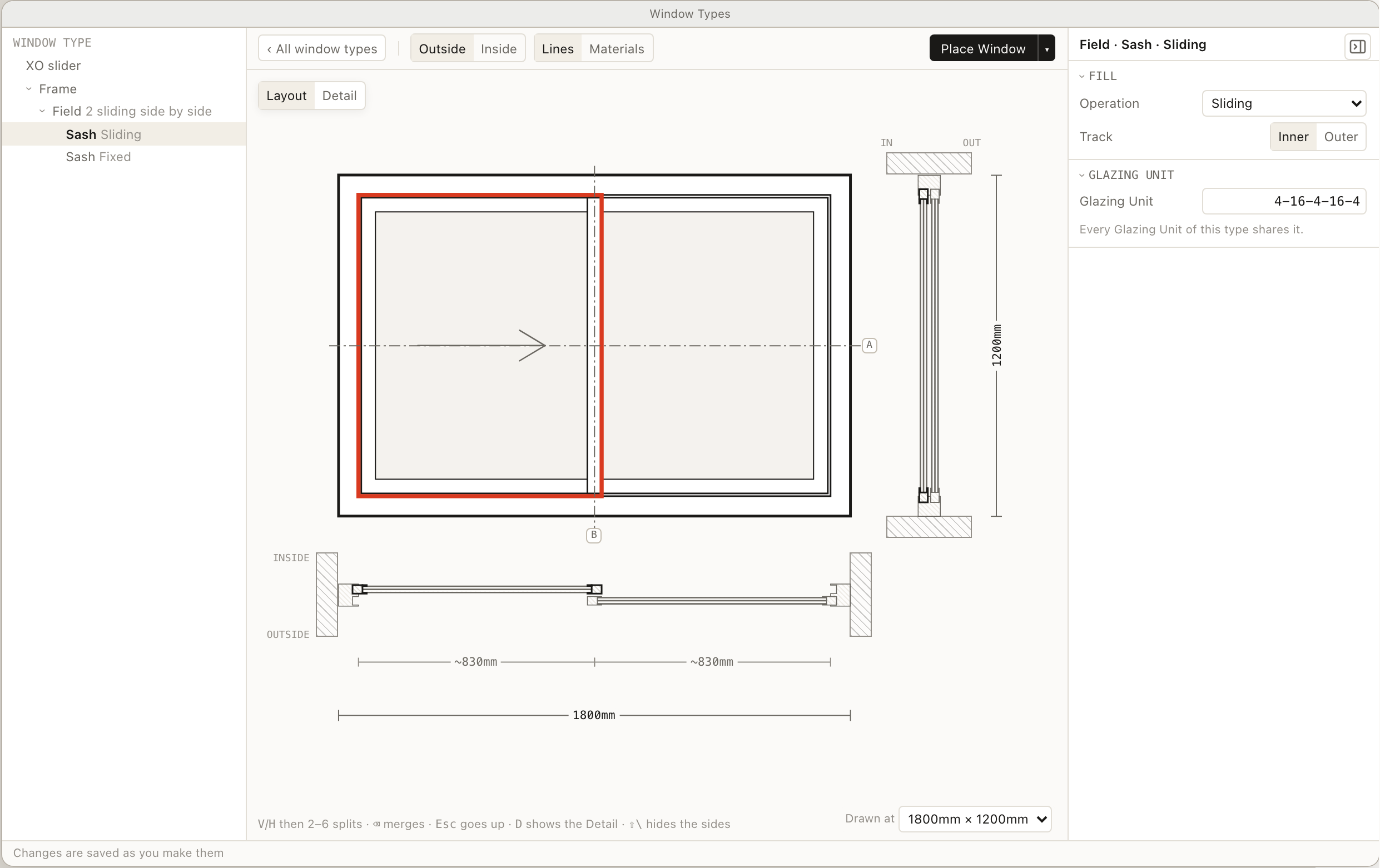
A Field can now be filled with Sliding Sashes, each one in its own Track, inner or outer. Side by side gives you a slider or a lift-and-slide.
Stacked gives you a double-hung or a sliding sash, and because it's just a Field, it sits in a layout like any other, here beside a Mullion with Fixed Glazing on the other side.
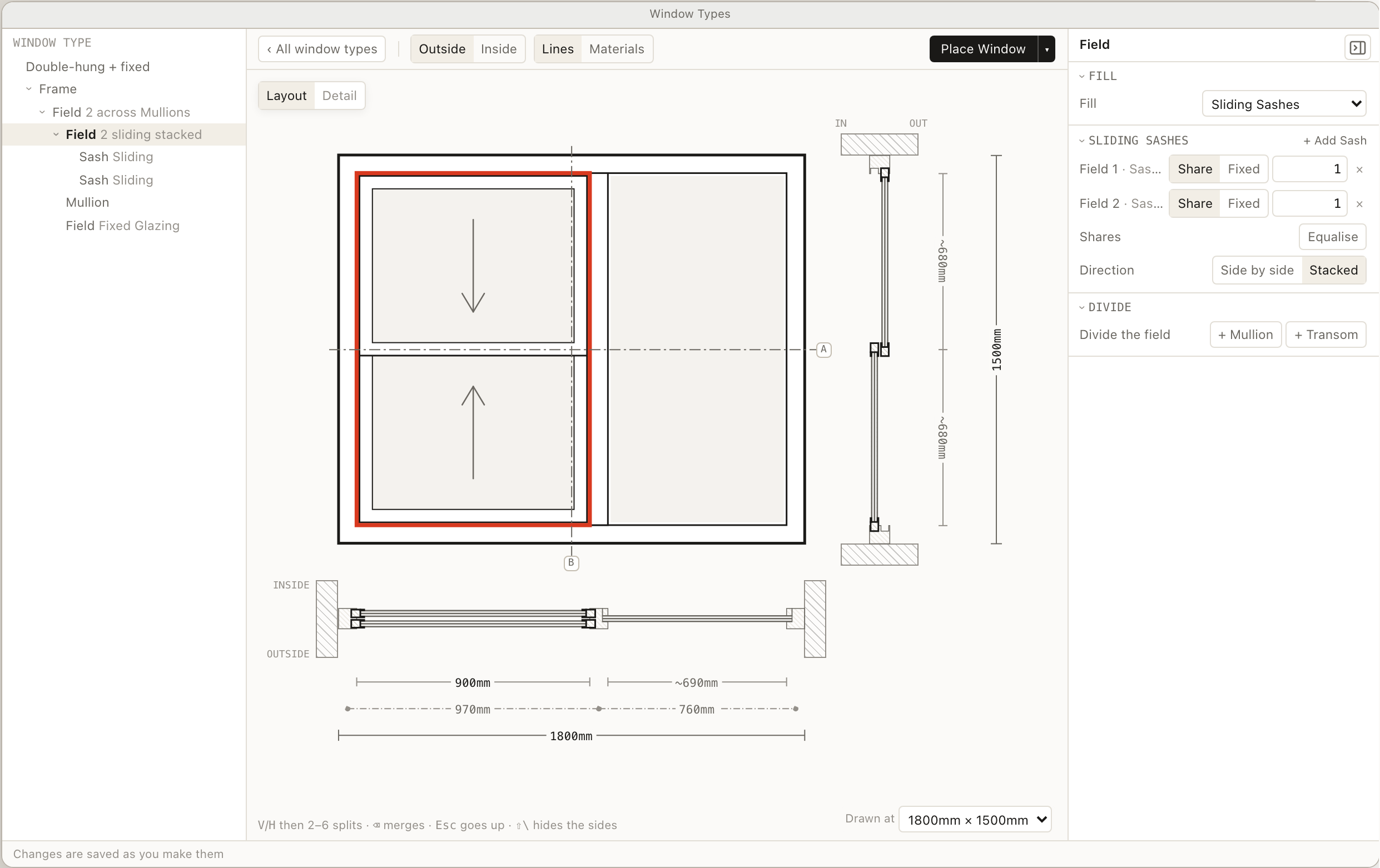
In Detail, the Frame shows the track section, where you type the Track Gap, the Stops either side and how far they cover the Sashes. With those in place there are now four Starter Packs, EU, UK, AU and US, each with that Market's own windows, sizes and glazing, and a model is only offered the packs in its own units. The US pack is in feet and inches.
All of it is on the Window Types page, and in Release 0.10.0.
The Door Types editor is still on my desk. There's a working gallery, Closure Frames in steel and timber, and doors placed in walls, but it isn't ready to hand over yet. I'm hoping the first door editor goes out in the next Release.