Lengthening a line that isn't on an axis
This was another tool I was missing. Making a line longer in SketchUp is easy as long as it runs along an axis, but as soon as it doesn't, I lay a Tape Measure guide along it, Move the end along the guide and then delete the guide again. Stacked groups like walls were worse, because I could Push/Pull each layer on its own but never the whole group at once.
In Revit I'd select the wall and type into its temporary dimension, and in AutoCAD there's LENGTHEN, so that's what I wanted. I click near an end and type +500, -200 or 1500, and the end I clicked near moves while the other one stays where it was.
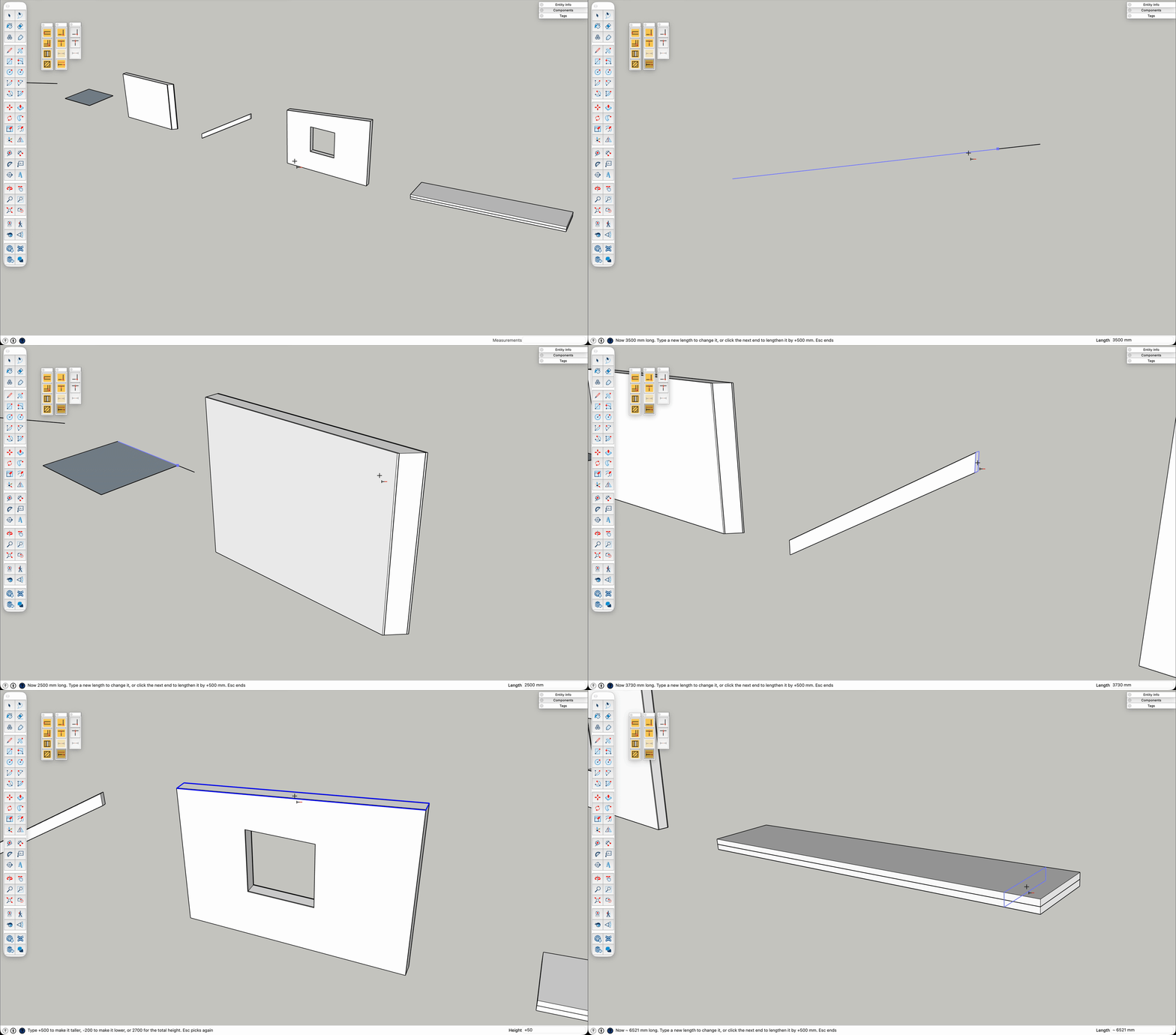
I started with a loose line, then with lines that share an end with other lines or edge a face. There, moving the end would pull it off the corner, so instead Lengthen draws a new piece in line from the corner outwards and leaves the corner where it is. Shortening at a corner like that is refused for now, because I didn't want it to quietly disconnect anything.
Groups were where the real decision was. Push/Pull moves a face the way it points, which is fine for a square end but skews a mitred one, because a mitre points off at 45°. So Lengthen moves an end along the way the piece runs, every layer together, and a mitre slides along and keeps its angle. An end that already meets another piece is refused, since bringing two pieces together is what Trim/Extend is for.
Once that worked in plan, the rest followed from the same rule. The ramp from last week is read in elevation, so lengthening its end makes it longer and higher at the same slope. A rafter drawn straight into the model, not grouped, grows along its edges, so the plumb cut stays plumb. And clicking a wall's top changes its height instead of its length, with a sloped top keeping its slope and the openings staying where they are.
The last two were components and Aplo Walls. A component used more than once changes every copy by default, with all of them outlined before the click, and Option changes only the one I clicked. An Aplo Wall is rebuilt from its baseline, so the wall and its record still agree afterwards.
Every case, and what it refuses, is on the Lengthen Tool Page. It goes into the next Release 0.5.0.