There was a native way after all
Yesterday I posted Lengthen to my topic on the SketchUp Community, and a few hours later I got a reply:
You can lengthen any edge in its own direction, even when off axis. And by inputting an exact value if desired.
I wasn't surprised. I'd half expected there must be a native way, at least for lines, and I'd gone straight to the Tape Measure guide because that's what I knew. So I tried it. With Move I grab the end, lock it to the line with Shift and type the distance, and it works. I still find it quite fiddly, though, because I have to hold the lock while I line up the move, it only takes a distance and not a total, and at a corner it drags every line and face attached to the end.
Lengthen is much easier to use. I click near the end and type +500 or 1500, and that's it. It's also far more versatile, because it isn't only for lines. A stacked group like a layered wall lengthens with every layer together, and Move can't reach inside it at all.
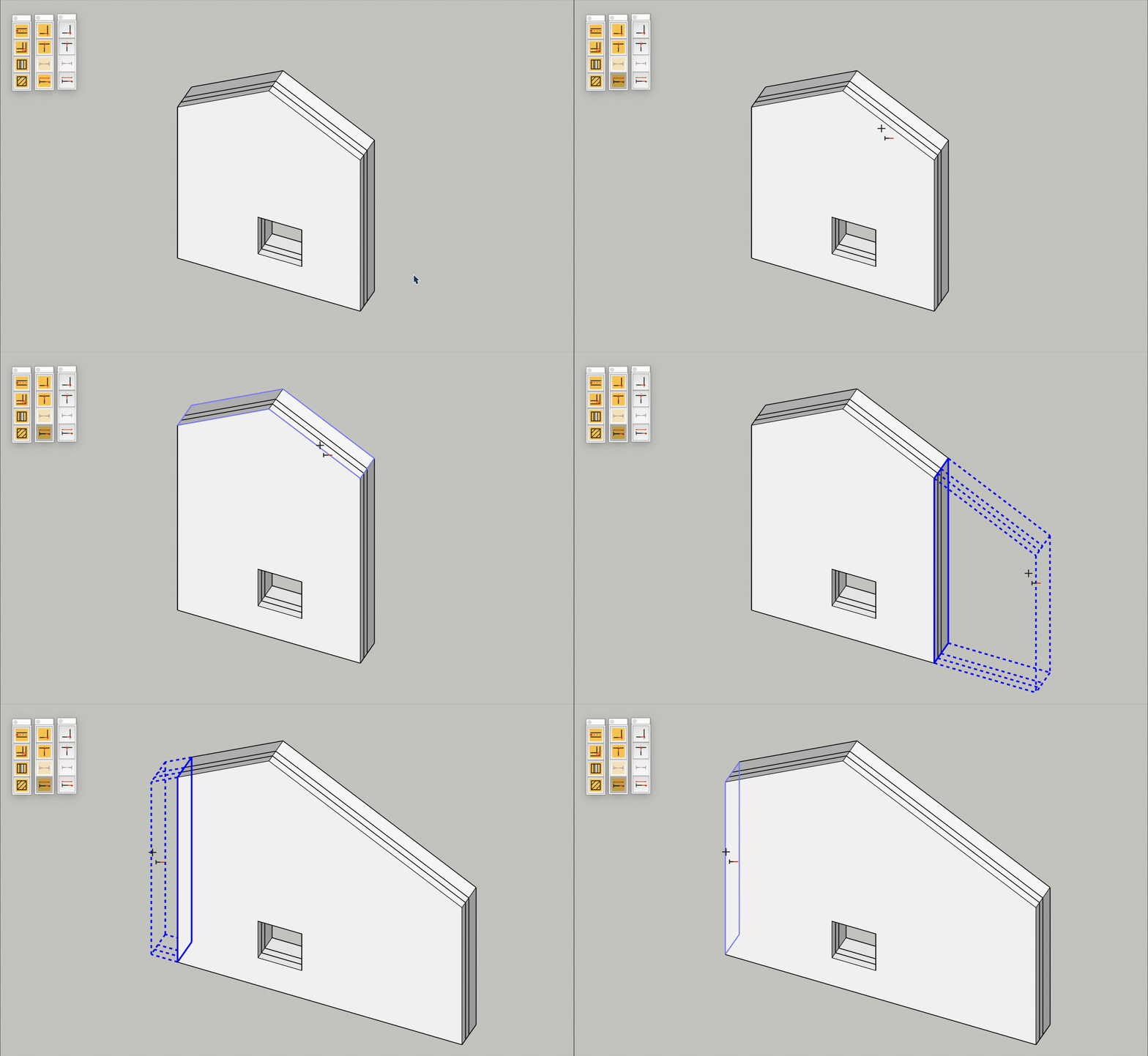
What the native way does have is the drag. Move shows me where the end will land while I move the mouse, and Lengthen only took a typed value, so I added that. After the click the end now follows the mouse along its own run, the change is drawn dashed and the Length box shows the length it would leave. Moving off to the side doesn't pull it off the line, the same as Move when it's locked.
The other thing I added is the gable wall. Its top is two slopes meeting at the ridge, and clicking one slope used to leave the other behind. Now either slope raises both together, so the gable keeps its pitch, the ridge stays in the middle and the openings stay where they are.
Both are on the Lengthen Tool Page and go into the next Release 0.6.0.