Updating Aplo from inside SketchUp
The first signed build of Aplo's updater failed to load.
It had worked during development, but after signing, the extension couldn't find its own encrypted files. That turned what I thought was one Release into four: one to add the updater, one to repair the signed build, one simply to test the complete update path, and one to fix the dialogue.
I built it because Aplo 0.1.0 had no way to tell anyone that a newer version was available. Anyone who installed the first Release had to remember to come back to the site and look. They'll also need to download and install the current version, 0.2.3, by hand, once.
From 0.2.0 on, Aplo asks aplo.studio whether there's anything newer, at most once a day. If there is, it shows this:
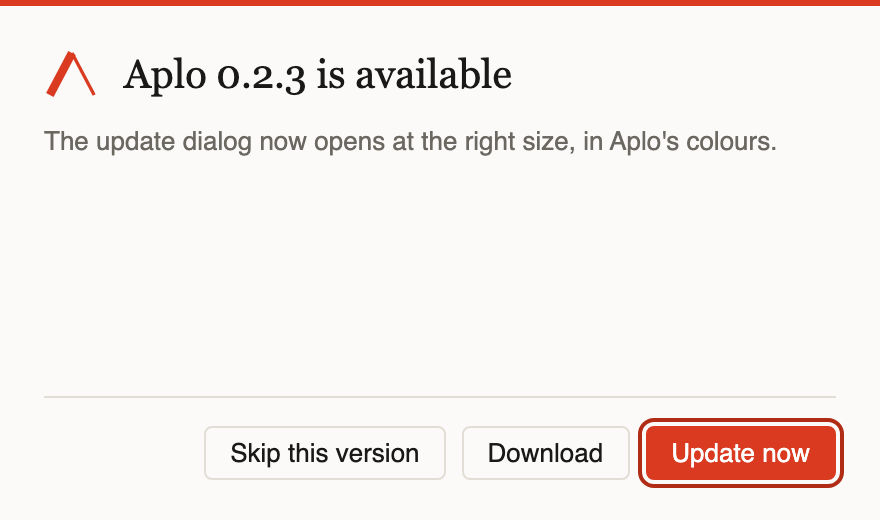
The dialogue offers three deliberate choices: install the signed update, open the download page, or skip that version. Automatic checking can be disabled, and an update can always be requested manually from the Aplo menu.
What it never does is install anything without that click. Replacing code inside a CAD application while someone is in the middle of a project is a good way to get blamed for a crash that wasn't Aplo's fault. Updating stays a deliberate act and takes effect between SketchUp sessions.
In Revit this arrives through Autodesk Access. When Aplo is installed directly from aplo.studio, the extension has to ask for itself. I plan to publish it in the Extension Warehouse too, but until then this updater is the only path that doesn't depend on remembering to check the site.
Version 0.2.0 brought the check. Installing it myself exposed the encrypted-file failure, so 0.2.1 fixed that. Version 0.2.2 was nothing but a Release to update to, so I could watch the whole flow work end to end. Version 0.2.3 made the dialogue open at the right size and in Aplo's colours; that's the version in the picture.
With that now working end to end, future Releases should no longer depend on someone remembering to check the site, which measn that I can get back to work on the next tool as well as various improvements on the three already released tools.