Merge
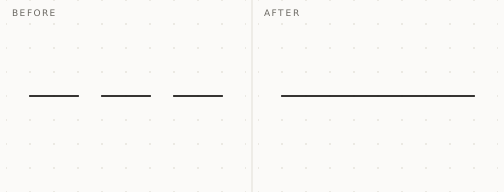
Select the pieces and Merge. Lines that lie on one line become one line, across any gaps between them, and wall groups running in one line become one group.
| Works on | |
|---|---|
| Lines | Straight edges lying on one line, across gaps between them |
| Solid groups | Groups running in one line, across gaps and overlaps |
| Walls from other extensions | Layered groups, merged layer by layer — their layers must correspond |
Lines across gaps
A run drawn in pieces, or left in pieces after a few edits, becomes one line. The gaps are bridged.
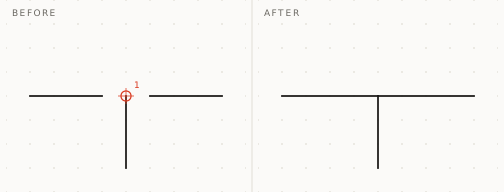
Where another line meets the run, it stays a break
Merging never disconnects geometry. A point where another line meets the run stays a break, and a bridge drawn across another line meets it there — as drawing over it by hand would.
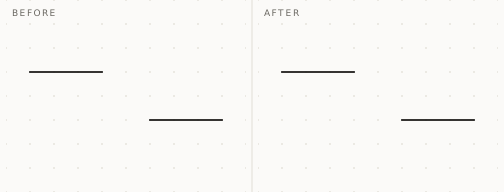
Lines that are not in one line are left alone
Two lines that run parallel but offset are not merged. Nothing is moved to make them fit.
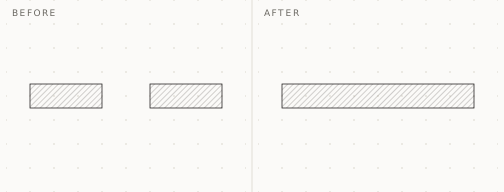
Solid groups become one group
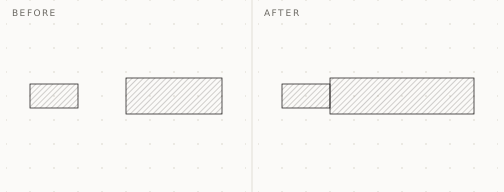
Groups running in one line become one group, across gaps and overlaps. Each keeps the shape of its outer end, so a mitre or a notch at the far end survives the merge.
Different sections meet at a Step
Where the two groups' sections differ, the merged group has a Step. Across a gap it goes at the shorter group's end by default; where they overlap, at the longer group's end. Straight after the Merge, before you do anything else, Left and Right move it to the other end — or, across a gap, halfway — without adding an undo step.
Layered walls merge layer by layer
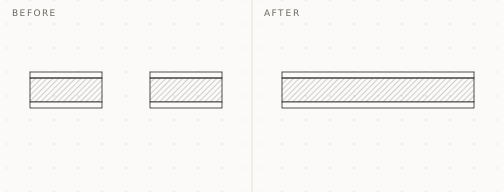
Walls drawn with another extension, or layers grouped by hand, merge layer to layer — core to core, finish to finish. Faces flush across the joint become one face, so where the sections were the same, no trace of the joint is left.
How it is used
| Input | What it does |
|---|---|
| Select | The lines or groups to merge — mixed selections are fine |
| Merge | From the menu or the toolbar; everything merges in one operation |
| Left / Right | Moves a Step, straight after the Merge |
| Undo | Takes back the whole Merge in one step |


For SketchUp on Windows and macOS.
An early build, so expect rough edges.